
Route Planning That Makes Sense
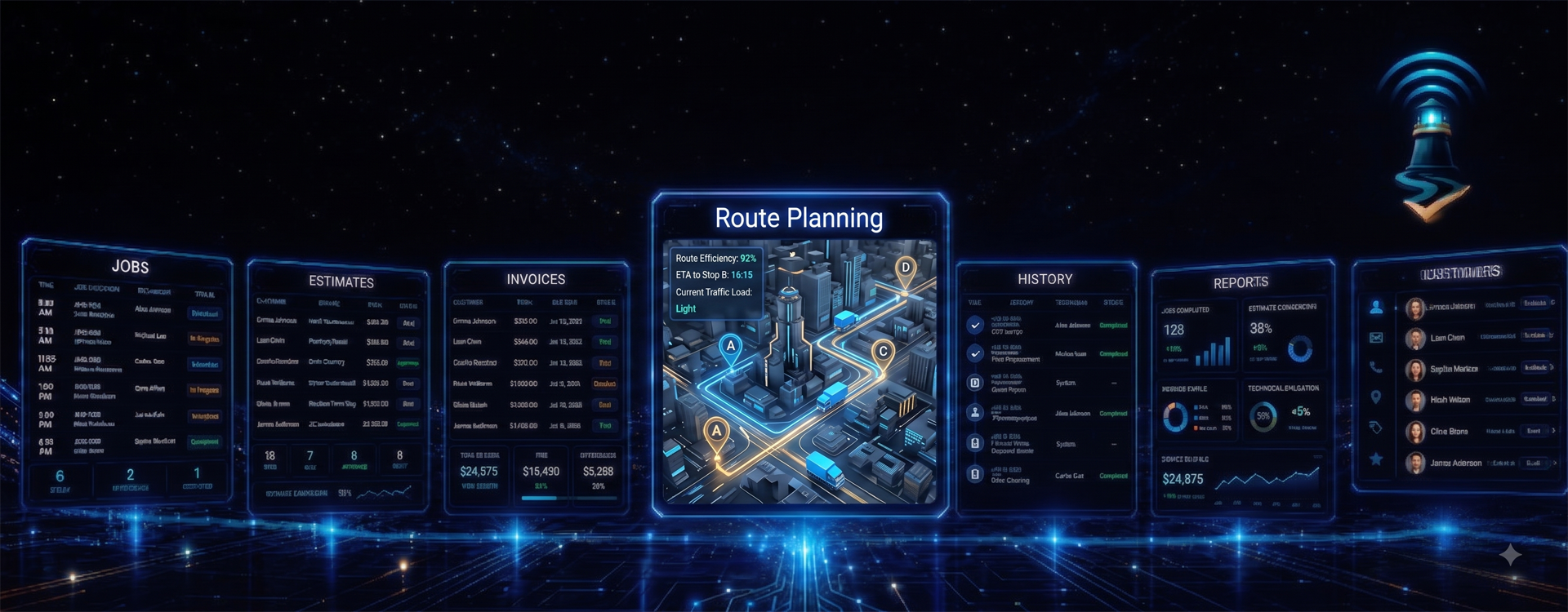
Plan routes from the WorkBeacon CMS. View technicians, stops, estimated drive time, job durations, and on-time status in one place.
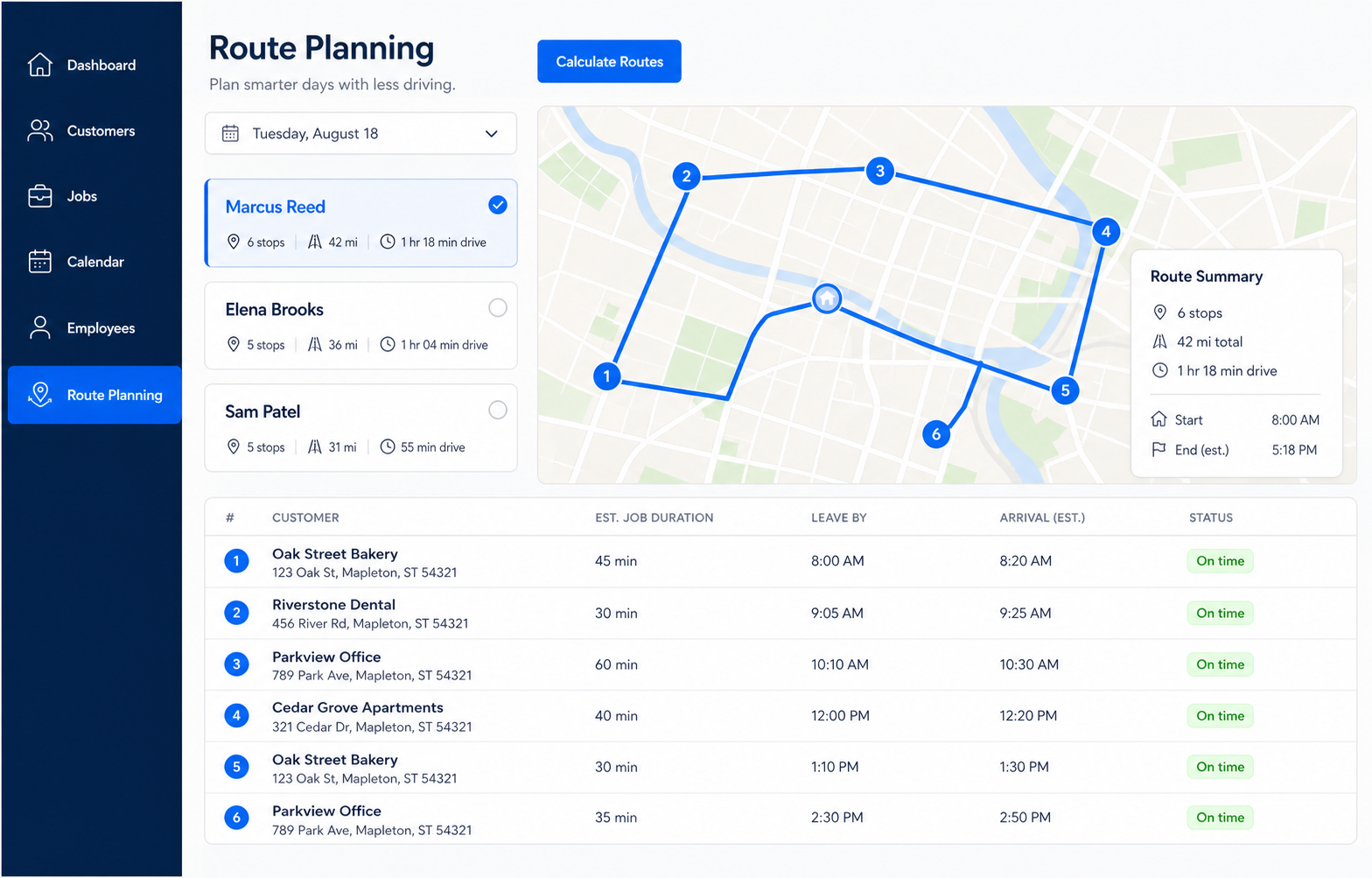
WorkBeacon helps you build smarter workdays by organizing technician routes, job times, travel time, and planned arrivals in one easy-to-read schedule.
 A full day of service calls can become confusing fast. One technician may start near home while another is already across town. A job may take thirty minutes, two hours, or most of the afternoon. Traffic, lunch breaks, and drive time all matter. When these details are planned by hand, it is easy to send someone too far out of the way, schedule two jobs too close together, or leave a customer waiting.
WorkBeacon Route Planning gives your office a clearer way to plan the day. Add the expected length of each job, choose the technician, and use the job addresses already stored in WorkBeacon. The route planner can organize the stops, estimate travel time between appointments, and show when a technician should leave for the next job.
Instead of guessing whether a schedule will work, you can see the day in a simple visual route. Each technician’s workload, stops, miles, drive time, arrival estimates, and job durations are shown together. This helps you catch scheduling problems before they turn into late arrivals, extra fuel costs, or frustrated customers.
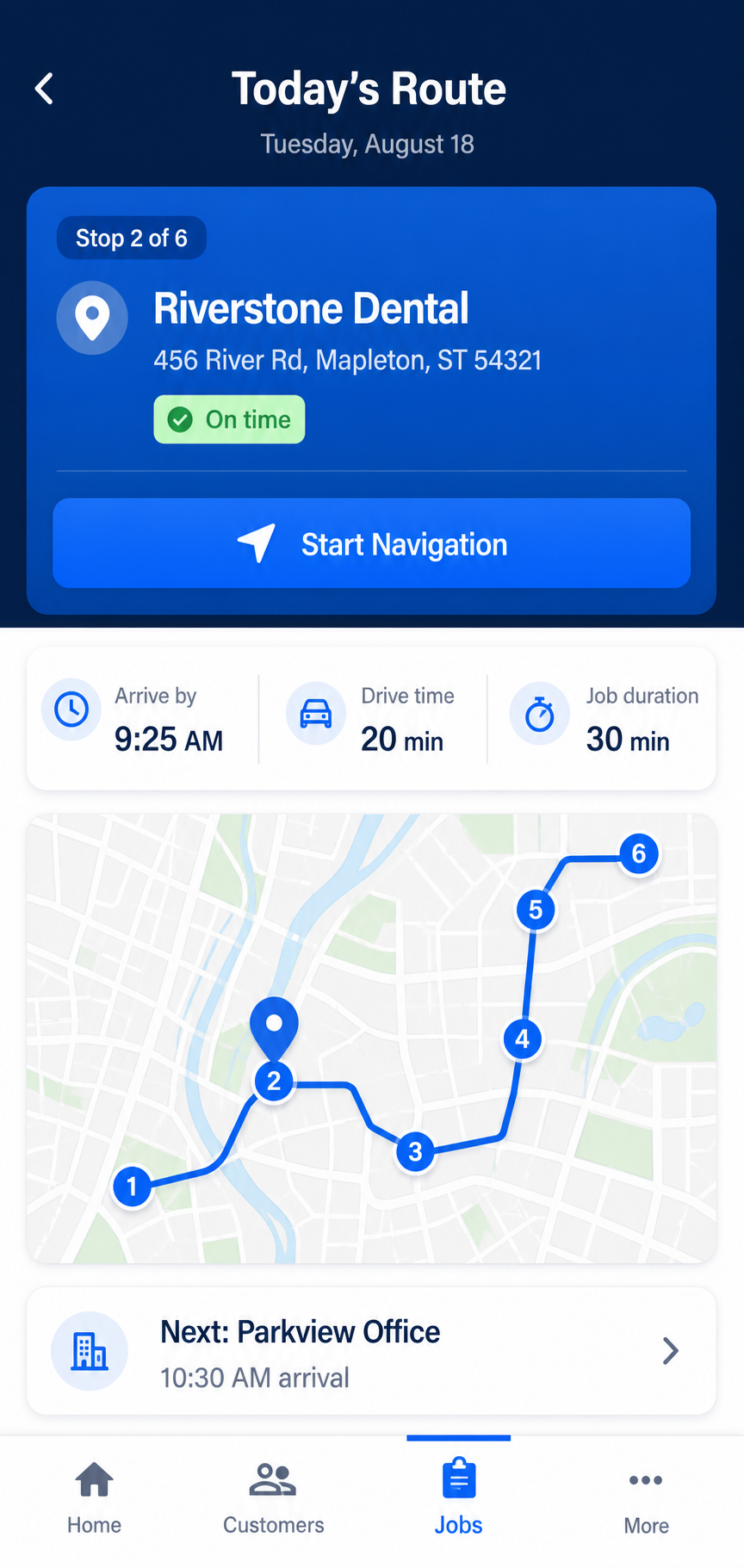
Your technicians can also see their planned route in the WorkBeacon mobile app. They know which stop comes next, when they are expected to arrive, how long the drive should take, and how long the job is expected to last. That means fewer calls back to the office and a more organized day in the field.
Plan the Day with Confidence
Feature Points
-
Smarter Routes — Organize daily stops to reduce unnecessary driving and keep technicians moving in a sensible order.
-
Travel Estimates — See estimated drive time and distance between each scheduled job.
-
Leave-By Times — Give technicians a clear idea of when they should leave to arrive on time.
-
Job Duration Planning — Include the expected length of every job so the rest of the day stays realistic.
-
Conflict Warnings — Spot schedules that are too tight before a technician falls behind.
-
Mobile Route View — Let technicians see their next stop, planned arrival time, drive time, and job details from the field.